
Trigger criteria#
Trigger criteria are an optional Liquid expression on each app action. Use them to send only the events that match a campaign, market, or customer property. Each action on each installed connection has its own rule.
When an action sends#
Write a rule that returns true when the event should be sent and false
when it should be skipped. For example, to send only email-consented sign-ups
from Custom App’s Sync signups action:
{% if person.opted_in %}true{% else %}false{% endif %}
Use this same if/else structure for other conditions. Keep the output to one
true or false value.
An empty Trigger criteria field leaves the action unfiltered. A rule that produces no output skips the event. Automatic sending also requires both the app and the action to be enabled.
Criteria are evaluated for real events. Send sample payload ignores them, so a successful sample does not prove that routing works.
Add a rule#
Open the installed app. Keep the app disabled while configuring a new connection, and turn on the action to reveal its settings.
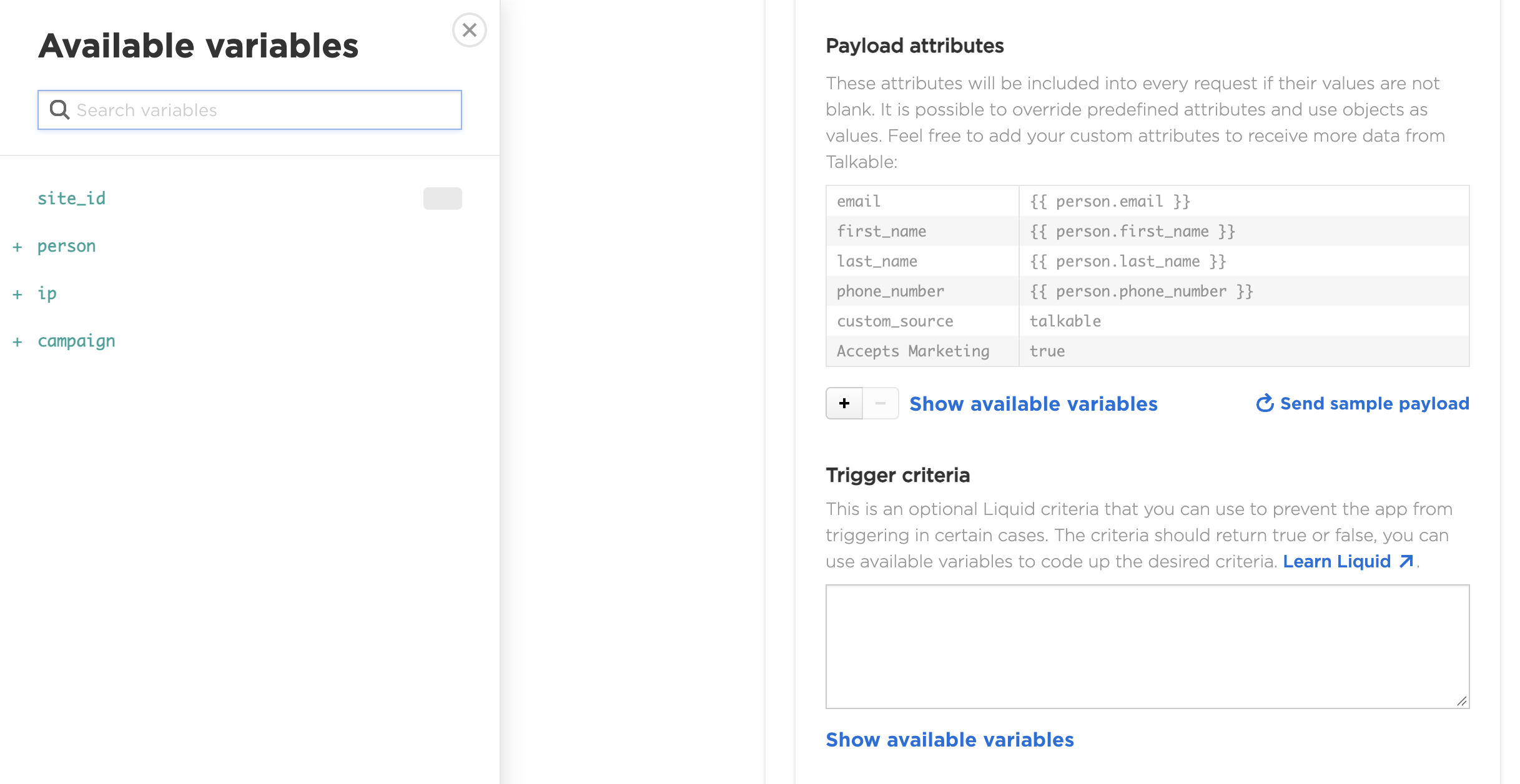
Click + Add app trigger criteria below its payload table.

Enter a rule in Trigger criteria and save your changes.
Repeat for every enabled action that needs the restriction, on every connection. A blank rule on another action leaves that action unfiltered.
Use Show available variables to check the variables for the current action. They are the same as those available in its payload.
Use variables from the action’s event#
Choose fields from Show available variables on the action you are editing.
The same rule cannot always be copied to a different event: opt-ins use
person, offer shares use sharer, and referral events distinguish
advocate_person from friend_person. Purchase/event and loyalty actions
do not have a campaign variable.
See Events and actions for the event-variable reference, and Custom properties for fields your integration passes to Talkable. A missing or misspelled variable can make a rule fail to match, so verify it with test events.
More filtering examples#
Use fields available on the action you are configuring. These examples cover several common needs; they do not limit the criteria you can write.
A person custom property#
On an action with person, this example uses a country passed by your
integration. upcase lets both US and us match:
{% assign market = person.custom_properties.country | upcase %}{% if market == 'US' %}true{% else %}false{% endif %}
The property must be stored before the event. A missing country does not match. Other properties, such as a customer group, can be used in the same way. Choose the person variable for your event from Events and actions.
A registered event category#
On Custom App’s Event action, send only a particular custom event category:
{% if origin.type == 'Event' and origin.event_category == 'newsletter_signup' %}true{% else %}false{% endif %}
Replace newsletter_signup with the category your integration sends.
The Event action also receives purchases; the type check keeps this
example limited to other registered events.
A minimum purchase amount#
On Custom App’s Event action, send purchases with a subtotal of at least 100 in the purchase currency:
{% assign subtotal = origin.subtotal | plus: 0 %}{% if origin.type == 'Purchase' and subtotal >= 100 %}true{% else %}false{% endif %}
If your site uses multiple currencies, also restrict
origin.currency_iso_code to the currency you intend. The amount is not
converted between currencies.
A campaign#
On an action with campaign, use a tag or campaign ID. For example:
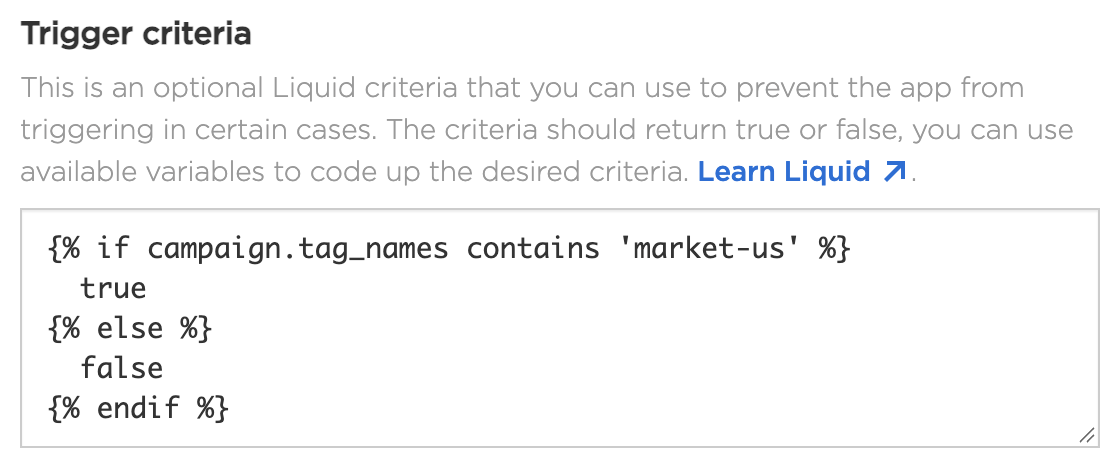
{% if campaign.tag_names contains 'market-us' %}true{% else %}false{% endif %}
contains matches a whole tag. Campaigns in test mode use a test- prefix;
see Regional routing examples
for an example that includes test activity.
For a campaign ID, use an integer without quotes. Replace this placeholder with your campaign’s ID:
{% if campaign.id == 1871897 %}true{% else %}false{% endif %}
Prefer a positive rule for each connection#
When splitting events between accounts, give each connection an explicit matching rule. A rule that sends everything except the US market would also send untagged events and other markets to the second account. An explicit UK rule leaves missing or unrelated market values unmatched.
Paste one complete rule into each field; do not combine the output of two separate rules.
After configuring the rules, follow Verify routing to check each enabled action with matching, non-matching, and missing-market events.