Permissions & Isolation#
The Talkable MCP server enforces the same permission model as the dashboard: an agent can do over MCP exactly what your role can do in the Talkable admin — no more, no less. Two independent checks apply to every call:
Scope — the credential must carry the right scope (
mcp:readfor reads,mcp:writefor writes). See authentication & scopes.Role — the acting user must have the required role on the specific site the call names.
Early-access capabilities follow the same checks once they are enabled for the site.
What each role can do#
Your Talkable role on a site determines which tools you can use for it. Account admins have full access to their account’s sites.
Role |
Reporting reads (campaigns, metrics, reports) |
Support lookups (referral / person / coupon) |
Support actions (approve, void, unsubscribe, anonymize, expire) |
|---|---|---|---|
Admin |
✓ |
✓ |
✓ |
Write |
✓ |
✓ |
✓ |
CSP |
— |
✓ |
✓ |
Read |
✓ |
✓ |
— |
Campaign, loyalty, and Wallet building, and saving skills and memory, are early-access capabilities of Talkable AI enabled per site; once enabled, they follow the same role checks as any other write.
If a call exceeds your role, the tool returns a clear “access denied” message naming the permission required, and tools you can never use for any of your sites are not offered in the tool list at all.
Note
The role table above describes personal keys and OAuth, which act as a specific user. A scoped account or site key (created under Account settings → API Keys & MCP) is instead authorized by the key itself — its scopes and the sites it covers — so its reach is fixed by the key rather than by any one person’s per-site role.
Available capabilities#
The capabilities a customer agent can use are listed below. The Role column is the site role
required (+ means that role or higher). Write+ or CSP actions are available to write-or-above
users and to the customer-support (CSP) role; Read+ or CSP lookups are available to
read-or-above users and the CSP role. Every write additionally requires the mcp:write scope
on the credential (see authentication & scopes). Capabilities
marked Early access are enabled per site; once enabled, they follow the same role checks.
Three helper tools are always present: list_sites (discover the sites and site_slug values
you can use), prompt_ai_assistant (hand a natural-language task to the Talkable AI Assistant,
which runs with your permissions), and check_ai_assistant_run (poll for the result of a
delegated task).
Capability |
What it covers |
Role |
Scope |
|---|---|---|---|
Reporting and analysis |
Metrics with filters and segments, report types, export status and download |
Read+ |
|
Campaign and settings visibility |
Campaigns, incentives, placements, A/B tests, locale entries, view templates, coupon lists, traffic sources, site and account settings, settings history |
Read+ |
|
Purchase tracking |
Talkable script, purchase tracking, e-commerce platform connection |
Read+ |
|
Product knowledge |
Talkable documentation search with citations; saved skills |
Read+ |
|
Support lookups |
Person by email, phone, or ID; referral by ID; coupon by code |
Read+ or CSP |
|
Support actions |
Approve or void a referral; unsubscribe, resubscribe, anonymize a person; expire a coupon |
Write+ or CSP |
|
Report exports |
Schedule a CSV export of a report |
Write+ |
|
Integrations and webhooks |
Browse, install, configure, activate, and test App Store integrations, including Custom App webhooks |
Write+ |
|
Users and roles |
Invite, set roles, remove access, password resets; account-admin actions for account admins |
Admin |
|
Campaign building and optimization (Early access) |
Create campaigns; incentives; placements; copy and configuration; templates, emails, and CSS; generated images; A/B tests; coupon lists; test purchases; launch readiness; site settings |
Write+ |
|
Wallet passes (Early access) |
Pass design, notifications, publishing to installed passes |
Write+ |
|
Loyalty programs (Early access) |
Program setup, earning rules, tiers, rewards and redemption, member experience, members, loyalty reporting |
Write+ |
|
Skills and memory |
Run skills; save skills and memory (Early access) |
Read+ to run, Write+ to save |
|
Delegate a task |
|
Your role |
|
Warning
Two support actions have real-world effects worth confirming before you ask an agent to run them:
Anonymizing a person (
update_personwithanonymize) permanently erases the person’s identifying data. It cannot be undone.Approving a referral (
update_referralwithapprove) releases real rewards — coupon codes or loyalty points are issued to the customer shortly after approval, along with reward emails and webhooks.
Both actions execute only when the call includes confirm: true — without it, the tool returns a
preview of what would happen instead of executing. Both tools also support dry_run: true for an
explicit no-side-effects preview.
Campaign, loyalty, and Wallet changes over MCP apply immediately under your permissions and are logged; use a read-only credential for agents that should only report.
Audit#
Every MCP call is recorded with the credential that made it, the tool, the time, the outcome, and the source. Changes to your program appear in the site’s Settings Changes history under the user the credential acts as.
Tenant isolation#
Every MCP credential is bound to a single Talkable account, and every tool call is scoped to one site:
list_sitesreturns only the sites in your account that you can access.Each tool call takes a
site_slug. Talkable resolves it only within the sites you can access — a slug from another account (or an unknown slug) is rejected with “Site not found or not accessible.”A credential can never read or change another account’s data.
Revoking access#
You can revoke an agent’s access at any time:
Personal API keys — My Profile → API Keys, then Revoke next to the key. The key stops working immediately.
Scoped account & site keys — Account settings → API Keys & MCP, then Revoke next to the key (admins only).
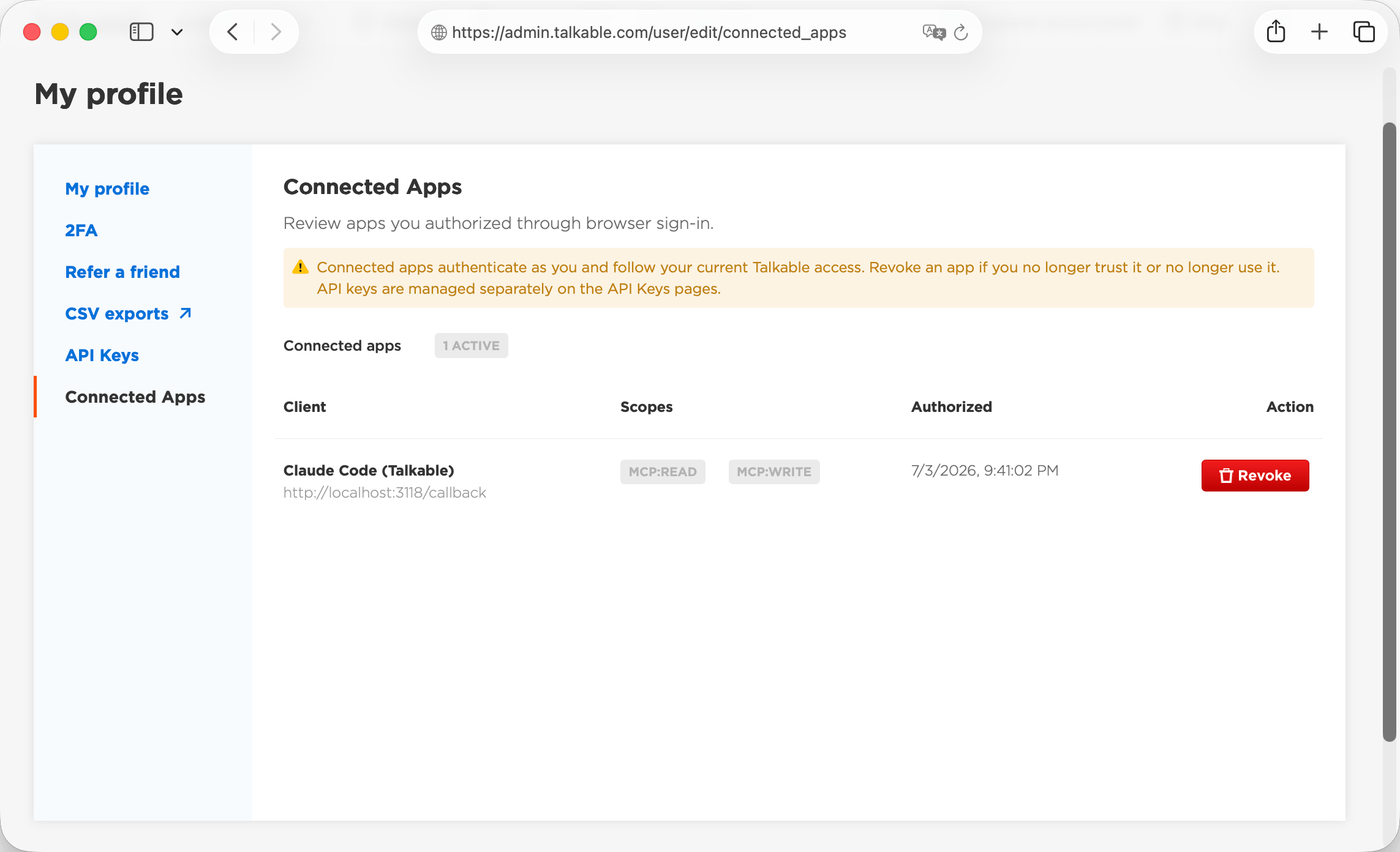
OAuth-connected agents — My Profile → Connected Apps, then revoke the client.
Deactivating a user revokes all of that user’s MCP credentials.