
Authentication & Scopes#
Every request to the Talkable MCP endpoint carries a Bearer token — either an OAuth access token or a personal API key. Requests without a valid token are rejected with an OAuth challenge that points MCP clients at the discovery document so they can self-configure.
Scopes#
Talkable MCP credentials carry one or both of these scopes:
Scope |
Grants |
|---|---|
|
Call MCP tools that read account and site data (list campaigns, look up a referral or person, read metrics, and so on). |
|
Call MCP tools that create or update Talkable data: support actions, report exports, App Store integrations, user management, and, where early access is enabled for the site, campaign and Wallet changes. |
A read-only credential (mcp:read only) never sees write tools in the tool list and cannot call them.
Grant mcp:write only to clients that need it.
Note
Scopes are a ceiling, not a grant of new powers. A credential with mcp:write can still
only do what the acting user’s role allows on a given site (see
permissions). Both must permit the action.
Over MCP, writes apply immediately; the credential’s scope is the control. Use mcp:read
for agents that should never change anything. See Talkable AI for everything an
agent can do.
OAuth 2.1#
Interactive clients use OAuth 2.1 with PKCE. Talkable is both the authorization server and the resource server, and publishes standard discovery documents so compliant clients need no manual setup:
/.well-known/oauth-protected-resourceand/.well-known/oauth-authorization-serveradvertise the endpoints and supported scopes.Dynamic Client Registration (RFC 7591) lets a client register itself.
The client opens the Talkable consent screen, where you sign in and approve the scopes.
An OAuth token acts as the signed-in user and can be revoked from My Profile → Connected Apps.
Personal API keys#
A personal API key is a long-lived Bearer token you create under My Profile → API Keys. It is owned by your user, inherits your current site access, and can be revoked at any time. Use personal keys for headless clients, scripts, and CI where an interactive OAuth flow is not possible.
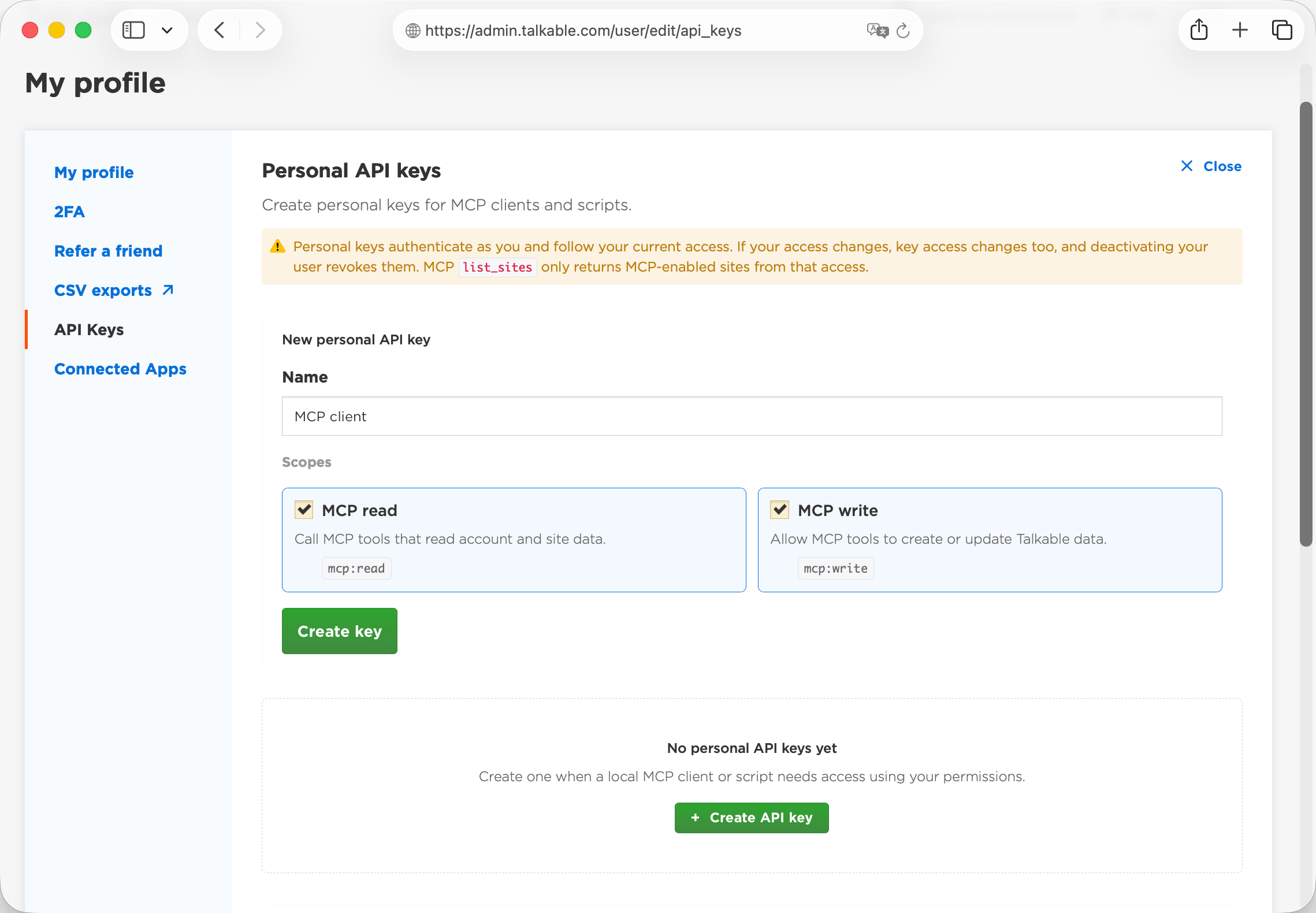
The plaintext key is shown once, at creation. Store it in a secret manager or an
environment variable (for example TALKABLE_API_KEY); Talkable never displays it again.
Personal keys do not expire on their own — a key works until it is revoked or its owner is deactivated. For long-lived agents, rotate keys periodically: create a replacement key, switch the client to it, then revoke the old key from the same page. Revocation takes effect immediately.
Account & site keys#
Scoped keys are made for integrations: a named, non-expiring key with its own scopes, for one site or the whole account, that keeps working as people come and go and can be revoked in one click. An admin creates them under Account settings → API Keys & MCP. Unlike a personal key, a scoped key is not tied to anyone’s login — it authorizes by its own scopes and the sites it covers (a whole-account key reaches every site in the account, a site key reaches one) and keeps working as people join or leave. Whole-account keys are limited to staff and account admins. Use them for shared agents, background services, and CI; revoke them from the same page.