
Payload attributes and variables#
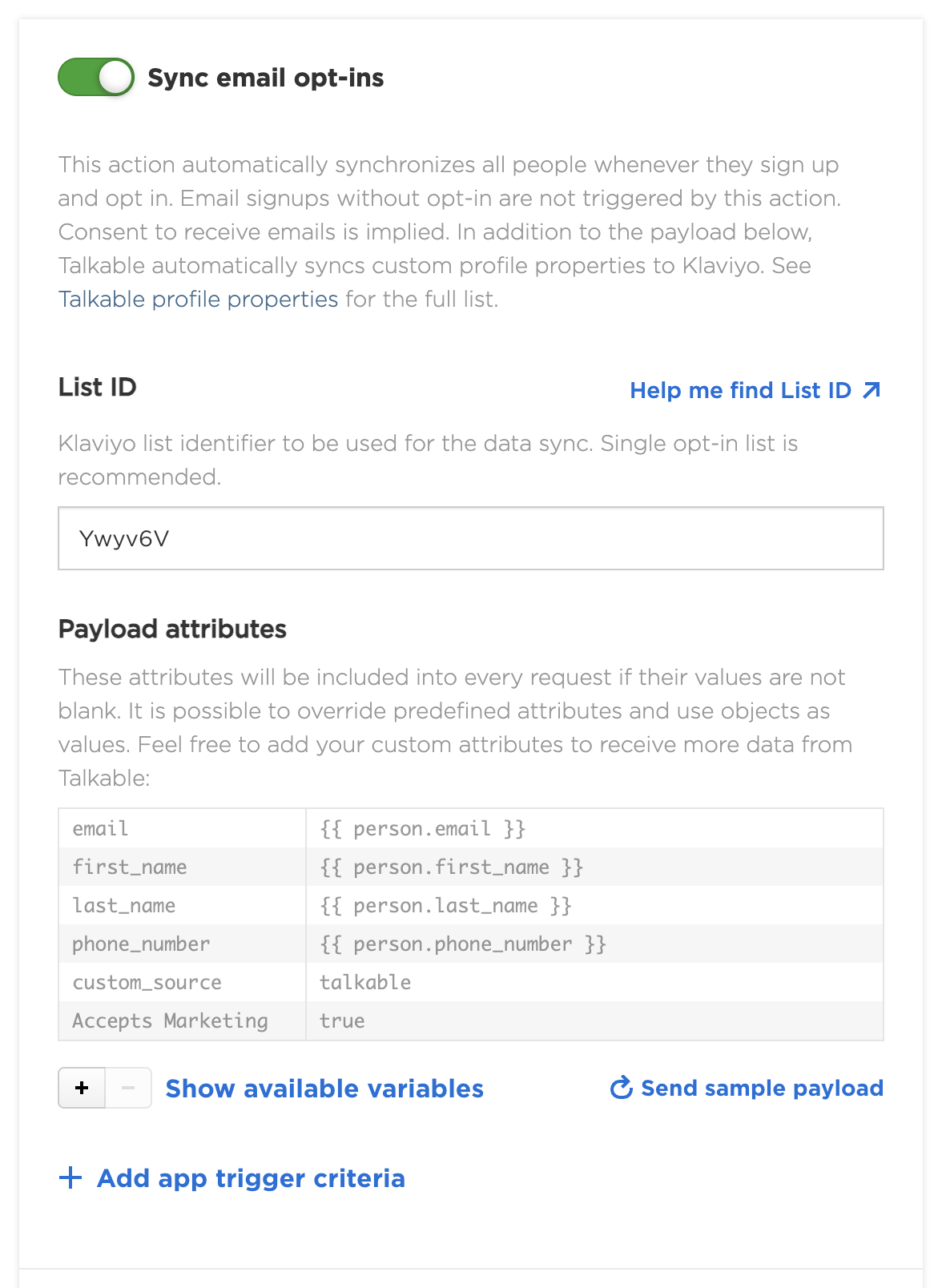
Actions that send event data provide a Payload attributes table. The left column contains the attribute name; the right column contains its value. A value can be fixed text or a Liquid expression that uses data from the event.
Add or override attributes#
Keep the app disabled while configuring a new connection. Turn on the action to show its settings, then use + to add an attribute and enter its name and value. Click Save changes before sending a sample.
Predefined rows are read-only. To override one, add a custom row with exactly the same name and your replacement value. You can edit custom rows directly; select a custom row and use − to remove it. Attributes are configured separately for each action.
For example:
Attribute name |
Value |
Use on |
|---|---|---|
|
|
Sign-up or opt-in actions with |
|
|
Actions with |
|
|
Reward actions with |
Blank rendered values are omitted from the request. They are not sent as empty strings or null values. The destination app determines how it uses the fields. For example, Klaviyo opt-in actions can update profile properties, while its Track actions use custom fields as event properties. See Klaviyo payload customization.
Show available variables#
On an enabled action, click Show available variables below the payload table to open its sidebar. The expanded Trigger criteria section also provides this button. Expand an object to see its fields. The available variables depend on the action’s event; a variable available in one action may not exist in another. The same variables are used for that action’s trigger criteria.
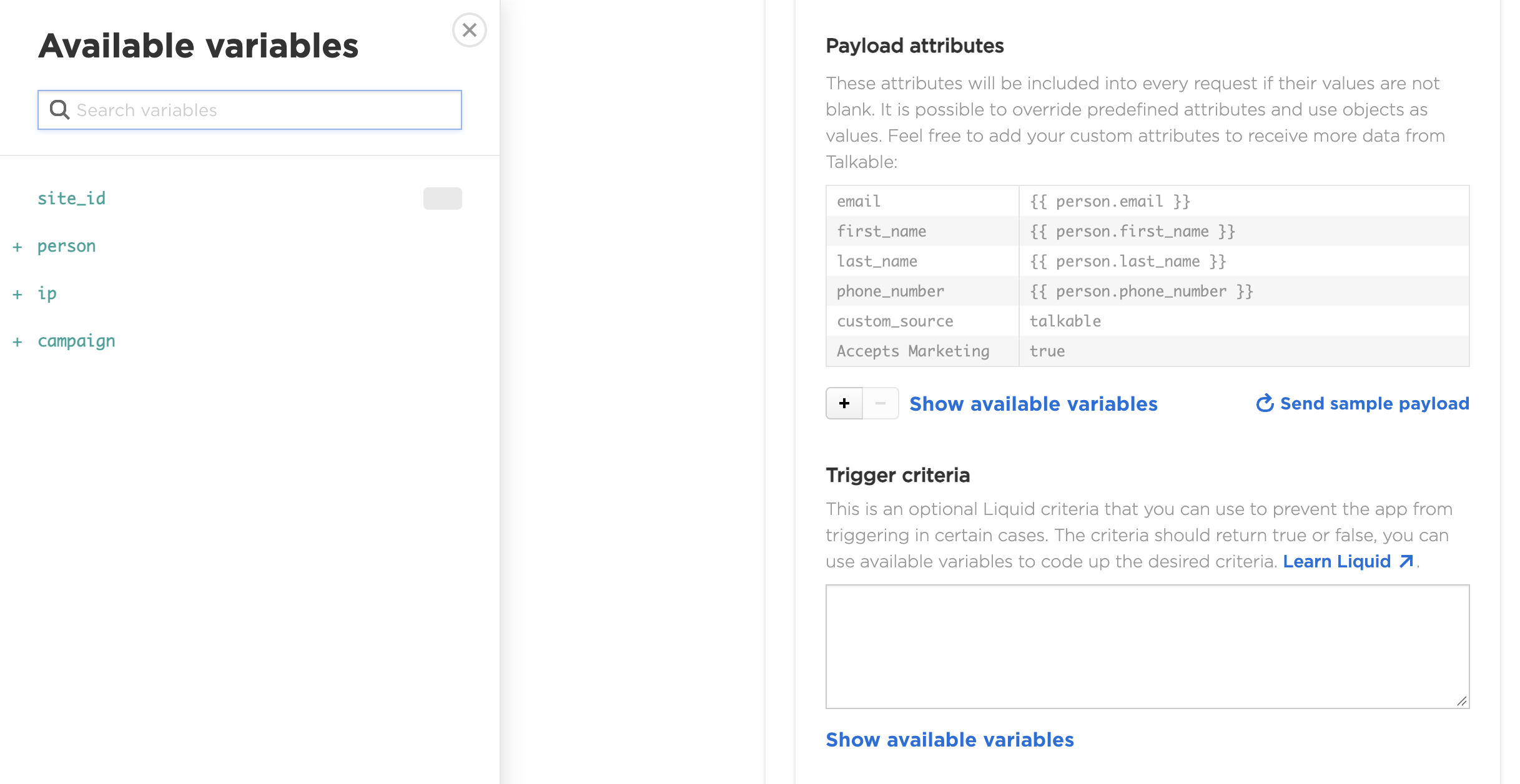
For event triggers and the variables each event provides, see Events and actions. That reference also covers Custom App purchase, refund, referral, wallet, and response-check actions. The action’s sidebar is the place to check its available fields.
Objects and arrays#
A value can be a JSON object or array. For example, on an action with
person, add customer with this value:
{"email": {{ person.email | json }}, "country": {{ person.custom_properties.country | json }}}
This sends a nested customer object. The json filter quotes and escapes
the field values. A JSON array such as ["referral", "email"] is sent as an
array. Confirm that the destination accepts the structure you send.
For nested arrays, put a space between adjacent opening brackets and between
adjacent closing brackets. Talkable treats [[ and ]] as Liquid
delimiters, so compact nested arrays can fail validation. For example, use:
{"pairs": [ ["a", "b"] ]}
Custom App request settings#
For Custom App, some payload-table keys configure the HTTP request instead of adding fields to its JSON body:
headers[Authorization]sets an Authorization header, for exampleBearer YOUR_API_TOKEN.headers[X-Api-Key]sets a custom API-key header._request_timeoutsets the request timeout in seconds.
Add these rows to each action that needs them. These request settings are
specific to Custom App; adding a headers[...] field to another app does
not give that app configurable HTTP headers. See
Custom App request settings
for setup, supported timeouts, and request signing.
Common fields#
person,sharer,advocate_person, andfriend_persondescribe the relevant person. Fields includeemail,phone_number,first_name,last_name, andcustom_properties.campaign.idis an integer,campaign.nameis text, andcampaign.tag_namesis an array of tag names. Tags are stored in lowercase with hyphens, such asmarket-us.siteprovidesidandslug. Sign-up and opt-in actions providesite_idinstead of asiteobject.couponprovides fields such ascode,amount,description, andvalid_untilwhen a coupon is available.referred_origindescribes the friend’s purchase or event on referral actions. Purchase fields includeevent_number,subtotal, andcurrency_iso_code.
Custom properties#
Custom properties come from data your site passes to Talkable through its
integration. For example, after your site passes a country property for a
person, an opt-in action can use {{ person.custom_properties.country }}.
See Pass custom user data.
Custom-property values are strings or empty values. The property must already
be stored for the relevant person when the event occurs. On offer shares use
sharer.custom_properties; on referral actions use
advocate_person.custom_properties or friend_person.custom_properties
according to whose data you need.